
The Best Graphics Cards for Gaming in 2024
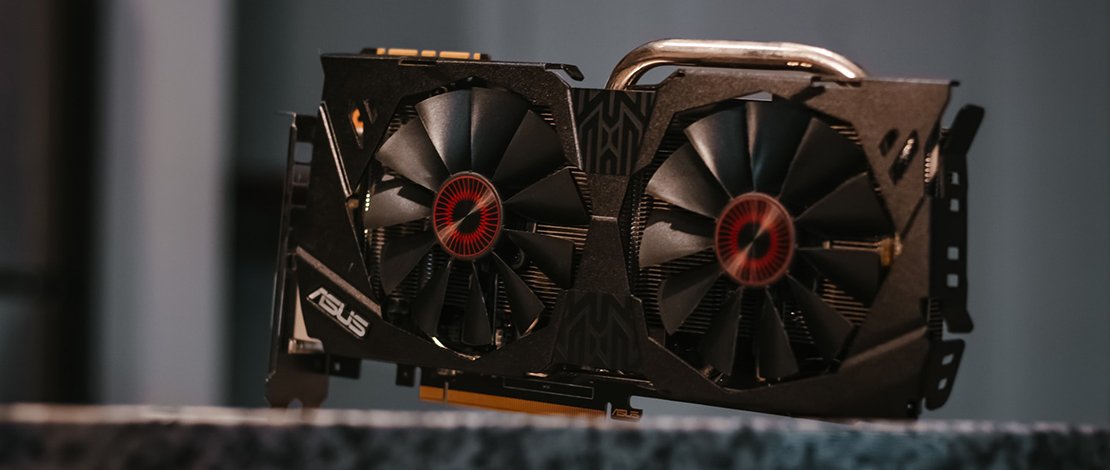
Your FPS in games will largely depend on your GPU so getting the best GPU you can afford for the budget you have is vital when building your PC. The current GPU market is a royal mess with all the factors like the rise and fall of crypto mining, companies trying to rinse every penny out of the basic consumers for their profit margins, and inflation growth in an unstable market that makes the life of a gamer miserable.
If you have the money then you can simply get a 4090/7900XTX and call it a day since those are the best GPUs out right now, but if you have a set budget and set specs in mind this article will help you decide on the best value GPU at a realistic price point that is accessible to your everyday gamer.
AMD Radeon RX 6650 XT
Best Value at 1080P ~300$
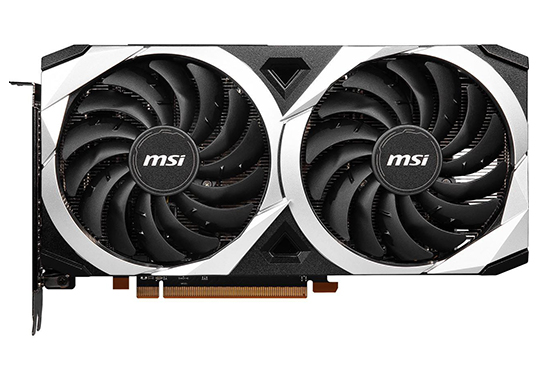
- 2055 MHz – 2635 MHz
- 8 GB GDDR6
- 180W TBP
The RX 6600 XT or the updated 6650 XT (slightly faster memory) are the best value cards when it comes to 1080P gaming and a budget of around 300$ (these can be found for cheaper 250-290$ which is an amazing budget deal).
These cards come at around the same price (or cheaper) as an RTX 3050 but will outperform their competition at 1080P rasterization with quite a significant margin. At this resolution and budget level, people do not really care about Ray Tracing and other features as such therefore it makes no sense to not get a 6600 XT or a 6650 XT over an RTX 3050 which is not only slower but will cost more as well.
- Amazing value proposition for entry-level gamers
- Best performance at 1080P
- Different vendors will offer slightly better PCB designs/fans
- Slightly loud card
- Is behind in features compared to Nvidia equivalent
AMD Radeon RX 6700 XT
Best Value at 1080P Ultra (around 350$)
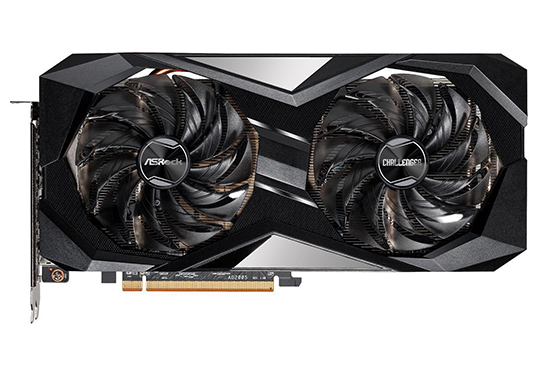
- 2321 MHz – 2581 MHz
- 12 GB GDDR6
- 230W TBP
The RX 6700 XT from AMD is the best value choice when it comes to 1080P gaming at high settings if your budget is around 350$. The main reason for this is once again the superior rasterization performance which beats the RTX 3060 (the Nvidia equivalent) by a significant margin in most games.
The only time you would want to buy the 3060 over the 6700 XT is when you really value/need Nvidia features for a productivity workload or you need the Nvenc encoding for streaming but even then AMD has made progress on those fronts making it hard to recommend the 3060 over the 6700 XT when you take into account the price.
This GPU would be perfect for casual 1080P gaming and also competitive eSports games where you want the 1080P resolution so you can push 240+FPS/Hz for a smooth experience.
- Crushing rasterization performance at 1080P
- Can be used to push high FPS for competitive gamers
- Can play 1080P Ultra in single-player games
- Slight loss vs the 3060 in RTX performance
- The prices for different models can quickly ramp up to 400$
Nvidia RTX 3060 Ti
Best Value at 1080P Ultra – Entry 1440P (around 400$)
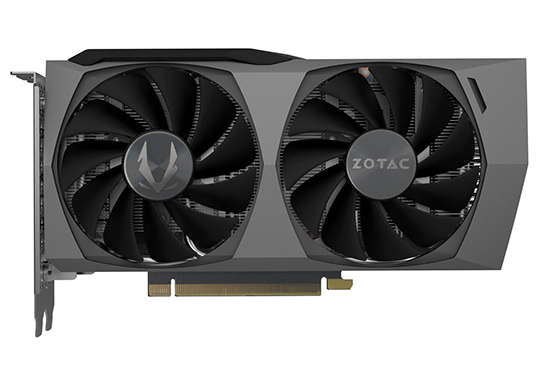
- 1410 MHz – 1665 MHz
- 8 GB GDDR6
- 200W TDP
The 400$ price point is where Nvidia makes a comeback with the 3060 Ti but certain aspects need to be discussed since team red make a compelling case for their RX 6750 XT. In overall rasterization at 1080P/1440P and even 4K the 6750 XT beats the 3060 Ti but what the 3060 Ti has is Nvidia’s huge package of features and driver support that AMD Radeon cannot offer yet.
This price point is honestly a toss-up between which GPU (3060 Ti vs 6750 XT) you can get a better deal on, and what features you care about more. Do you want a 5-6% faster GPU in pure rasterization, or do you want productivity support, Nvenc encoder, and a better driver experience?
For many, the overall stability of Nvidia has been enough to win them over but you will have to decide for yourself depending on your own circumstances and what prices you can find these graphic cards at.
- Has great driver support from Nvidia
- Great RTX features
- Great for productivity as well as gaming
- Slight loss vs the AMD equivalent in terms of pure rasterization performance
- Price fluctuations can make the 3060 Ti cost as much as 450$ making the 6750 XT a much better deal then
AMD Radeon RX 6800
Best Value at 1080P Ultra – 1440P – 4K (around 500$)
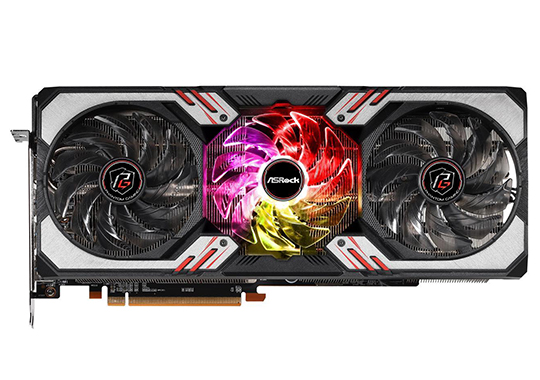
- Up to 2105 MHz
- 16 GB GDDR6
- 250W TBP
If you have around 500$ to spend on a GPU for your build the situation swings in favor of team red once again where the RX 6800 presents a much better value than the RTX 3070. The reason for this choice is quite simple – the RX 6800 is faster at 1080P/1440P/4K resolutions while also being available for purchase at the 500$ price point.
Meanwhile, the RTX 3070 is slower and also spikes in pricing up to 550$ (or more) presenting a much less compelling value for a gamer even with the slew of features that Nvidia GPUs come with. Since we are talking about higher resolutions here it is important to note that the RTX 3070 although being 10-11% slower does do a better job with Ray Tracing.
Overall, considering the price premium and the slower base performance of the RTX 3070 there seems to be no reason to purchase it over the RX 6800 if you are looking for a GPU purely for gaming.
- Much faster performance at the price point than the 3070
- Can be found cheaper than the 3070
- Is competent in Ray Tracing even though not as fast as the 3070
- Slight loss vs the 3070 in Ray Tracing
- Loss in terms of features compared to Nvidia
AMD Radeon RX 6950 XT
Best Value at 1440P -4K (around 700$)
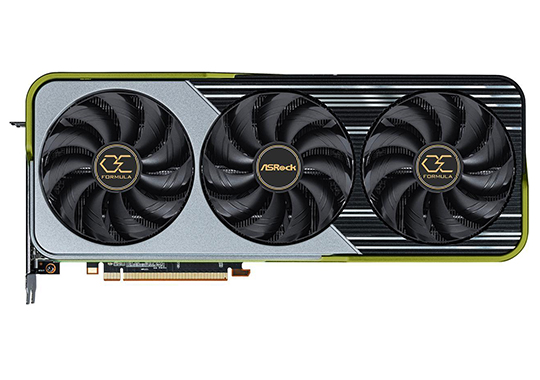
- 1890 MHz – 2310 MHz
- 16 GB GDDR6
- 335W TBP
The gap between 500-650$ is mostly filled with no real upgrades but if you are willing to go the extra step and spend 700$ you can get yourself an RX 6950 XT which in terms of pure rasterization trades blows with a 3090 Ti and only slightly loses at 4K.
You would not buy this GPU if you really care about Ray Tracing but the overall performance of the 6950 XT is simply stellar and if you want to stick to your 700$ budget, you would be hard-pressed to find a better deal.
The whole myth that Nvidia tried to push about Ray Tracing re-defining gaming and becoming a staple has not become true with most people still preferring to play without RTX making the rasterized results the most important ones when comparing GPUs.
This is the last stop you would make buying last-gen cards since if you want to go beyond 700$ you are in the realm of Nvidia 4000/AMD 7000 GPUs.
- Wins in rasterization against GPUs that cost 1000+$
- Offers a great value for the money invested
- Can be found in stock at the 700$ price point
- Loss in Ray Tracing performance
Nvidia RTX 4070 Ti
Best Value at 1440P -4K (around 800$)
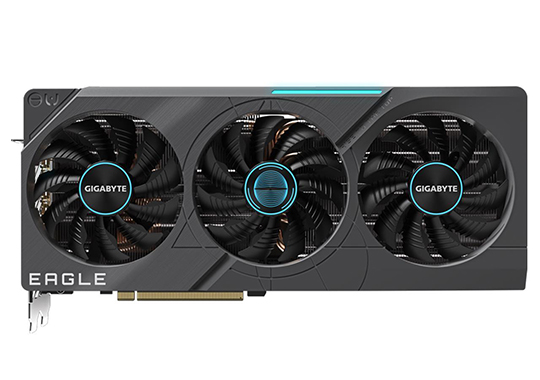
- 2310 MHz – 2610 MHz
- 12 GB GDDR6X
- 285W TDP
The RTX 4070 Ti got a lot of hate the moment it launched because it costs a lot of money and is a bad value compared to a 4080 or a 4090 but as the dust settled an interesting situation occurred – at 800$ there is no other GPU that can match the performance of the 4070 Ti making it king at this price point.
The 40-series from Nvidia are insanely fast and funnily enough, consume less power than the AMD Radeon 7000 GPUs making them overall a good choice if you are building a modern maxed-out build. You also get new features such as AV1 encoding, all the new Ray Tracing and DLSS improvements, and overall better performance (4070 Ti > 3080 which costs more).
If you are willing to spend this much money on a GPU you might as well get the best possible deal and performance since 800$ is not a small sum to pay for a single component.
- Performs better than more expensive GPUs from the last generation
- Offers the newest features from Nvidia
- Is part of the newest generation therefore you will get a lot more support for this GPU
- 800$ is a lot of money for a GPU
GPUs Above 800$
Realistically speaking if your budget is still not maxed out by this point then you can probably purchase whatever GPU you want. Get a 4080/4090 or a 7900 XT/XTX for 1200+$ and forget about upgrading your GPU for the next 3-5 years comfortably. You can’t talk about value much above this point so honestly do whatever fits your vision for a beast gaming PC.
How To Choose a Graphics Card
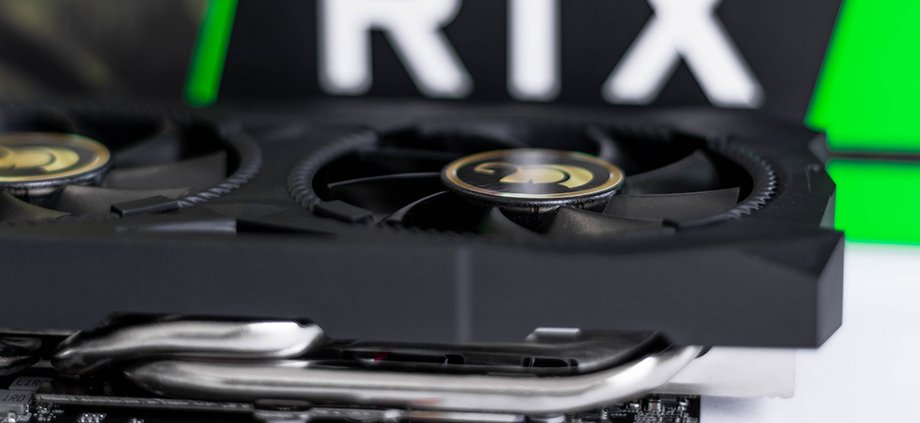
Picking the best graphics card for your needs doesn’t have to be super complicated. Just follow these simple steps and you’ll find one that you need in no time.
Set Your Budget
Setting up your budget is the first thing you should do. Just don’t let your upper price point be set in stone because a great deal can often be just 10-15 percent over your budget. And it’s better to wait a bit and save up more money than to get an inferior product.
Set A List Of Desired Specs And Features
Come up with a set of features your next card has to fulfill. You might want to game at 60fps in AAA titles with max details while running esports titles over 120fps. Or you’re fine with running AAA games with 30-40 fps at your desired resolution.
Maybe you need USB C port for your VR headset. Or three DisplayPort connectors if you’re running a multimonitor setup. If you have an AIO water cooling system you can look for a card with a pre-built liquid cooling block.
Check The Length Of The Card Before Buying It
Firstly, measure how much space you have in your case. Next, double-check it. Then, check the listed length of the card. Finally, check the length from multiple sources since sometimes, these measures can be wrong.
Check Video Ports Available
While most cards come with the usual suite of 3 DisplayPort and one HDMI port, make sure the card has enough video connectors you need. Some low-profile cards and many budget cards come with one DisplayPort, one HDMI, and one DVI.
Do You Want A Futureproof Card Or Just Something That Will Work Great Right Now?
If you’re planning on getting a new monitor with a higher resolution in the foreseeable future put that into the equation. Get a card that can push games at your new monitor resolution.
Next, take into account future games you want to get. Modern games are quite graphics-intense.
Read User Reviews And Check About Potential Issues
Always read user reviews before getting a new card. They can be really helpful and point issues not found in official reviews. Also, always check on Google to see whether your next card has driver issues or such.
Make Sure Your CPU Won’t Bottleneck The New Card
Don’t go overboard when getting a new graphics card. Get one that won’t make your CPU a bottleneck. For instance, if you run a Core i5 6600K everything above RTX 2060 or RX 5600 XT will make the CPU bottleneck the video card. So, do a simple Google search for the most powerful card to go with your CPU before making any purchase.
Make Sure Your PSU Can Deliver Enough Power To The New Card
A new graphics card usually means more power needed for the system. Before getting a new GPU check how many watts of power it requires and whether your PSU can deliver that.
Check the Used Market
Before you start looking at your desired GPU in official shops take a look at your local used GPU market. The main reason for this is that currently, it is nigh impossible to find any GPUs in stock at official retailers, and even if you do find them the prices will most likely be through the roof.
This is where some experience with the used PC parts market comes into play. You are more likely to find an older generation used card from other people than anywhere else. This is especially accentuated by the crypto mining industry slowly crumbling and miners selling their entire batches of GPUs for decent prices.
The AMD GPUs are especially worth looking into on the second market since these were preferred for mining because of their better overall productivity and lower power consumption.
Do not be afraid to buy used PC parts because if they were taken care of properly these will still outlast your personal usage of said components. Just make sure to check the GPU for any defects and ask for a suite of benchmarks to confirm the GPU is working properly.
If everything matches and the GPU performs well, there is no reason to not buy a better used GPU for cheaper, than buying a more expensive GPU from the store that will push half the FPS.