
The Best Motherboards for Gaming in 2024
In the span of only a few decades, PC gaming has gone from being an obscure hobby reserved for nerds to being the go-to source of entertainment for millions of people worldwide. Oftentimes we’re left with big chunks of time on our hands, whether from a slow work week or bad weather, and are forced to find new ways to kill time. With that in mind, there hasn’t been a better time to get into PC gaming, and the first part of building your first PC is choosing the right motherboard. Let’s talk a bit about the best motherboard for gaming.
If you’re new to the PC master race or you’re only used to buying prebuilt systems, we’re here to educate you on what to look for in the best motherboard that’ll meet your particular needs. The motherboard is the base of each build and will dictate what type of CPU you can use, the type of RAM, expansion options, transfer rates for storage, and much more.
We’ll cover the best AM4 motherboard as well as LGA 1151 motherboard, what features are more important for different applications so that you get a comprehensive view of what the market has to offer as well as how your motherboard will impact your system’s performance.
Best Motherboards for Gaming
MSI MAG Z790 Tomahawk WiFi
The Z790 Choice for Gamers
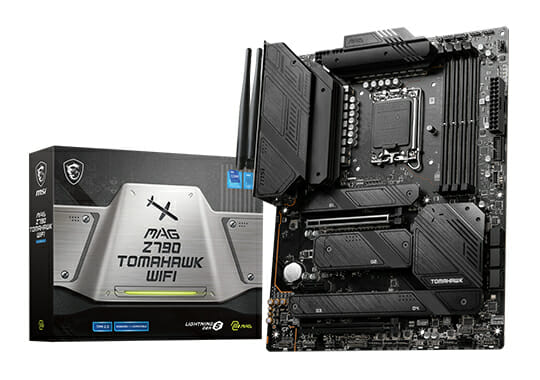
- Intel 13th Gen LGA 1700 ready
- 16+1+1 power delivery
- PCIe Gen 5 x16 slot
- 7200+MHz DDR5 RAM
Gaming is not the heaviest load for your PC components so buying an 800$ motherboard for gaming is overkill. A better choice if you are hunting for a Z790 motherboard for your new Intel 13th Gen CPU is something like the MSI MAG Z790 Tomahawk.
This is a 300$ motherboard (all Z790 boards are pretty expensive) that comes in both DDR4 ( 5333+ MHz) and DDR5 (7200+ MHz) configurations that have plenty of power and thermal capability for anything you would throw at it. The Z790 Tomahawk comes with a great 16+1+1 power delivery system and upholds the reputation of the MSI Tomahawk product line which has been an amazing choice for generations now.
This motherboard comes with all the bells and whistles that you would expect: PCIe 5.0 x16 slot, multiple PCIe 4.0 M.2 slots, 2.5Gbps LAN/WiFi 6E, and a Realtek ALC4080 Codec. Since this motherboard uses an LGA 1700 socket both the 12th and 13th generations of Intel CPUs will be compatible with it.
- Great price to performance considering the overall value of Z790 motherboards
- PCIe Gen 5 x16 slot, multiple PCIe Gen 4 M.2 slots
- 7200+MHz DDR5 RAM is not possible on just any motherboard
- Plenty of I/O and connectivity with 2.5Gbps LAN and WiFi 6E
- No PCIe Gen 5 M.2 slot
ASUS TUF Gaming Z690-Plus WiFi D4
The Budget Route for Intel 13th Gen
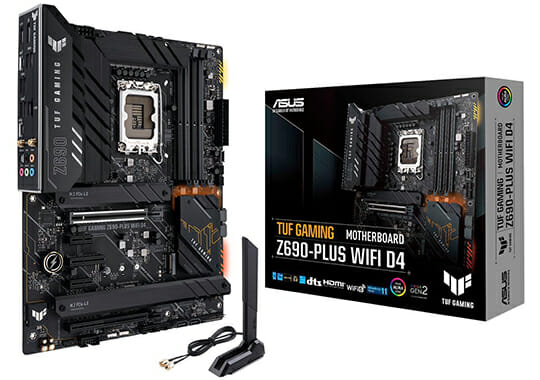
- Z690 Intel 13th Gen LGA 1700 compatible
- 14+2 VRM
- Maximum of 128GB DDR4 5333 MHz
While Z790 and DDR5 are fresh tech on the market, if you have a specific budget for your Intel 13th Gen build, these will most likely not make it into your parts list because of the high pricing. By comparison, Z690 and DDR4 are much more compelling packages for something like a 13600K build.
The ASUS TUF Gaming Z690-Plus motherboard is a great choice in this category since it has an impressive 14+2 VRM configuration that is cooled well and composed of quality materials. It supports PCIe 5.0 out of the box and has 4x m.2 NVMe slots for storage devices.
It comes with 2.5 Gbps LAN and WiFi 6 and plenty of I/O for your gaming needs. The TUF board supports a maximum of 128GB DDR4 5333 MHz which is already plenty fast for a budget build.
It is important to know that while it still uses LGA 1700 so you can slot in a 13th Gen Intel CPU you will need to update the BIOS of the motherboard to boot them.
- 200$ motherboard compatible with intel 13th Gen
- Capable power delivery that can handle even the top CPUs in the new gen
- DDR4 5333 MHz kits with tight timings will stomp low-tier DDR5
- TUF motherboards are known for being reliable
- 200$ is still a lot but you are paying for reliability
ASUS TUF GAMING X670E-PLUS WIFI
The X670E Choice for Gamers
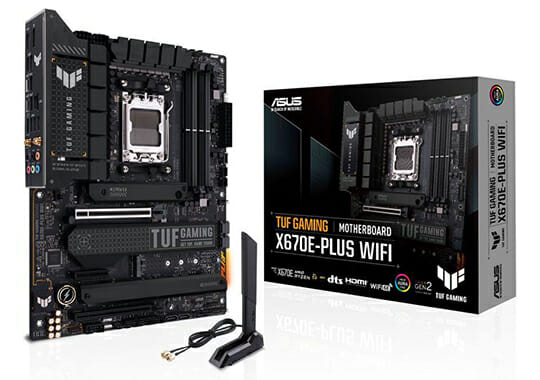
- AMD AM5 LGA 1718 socket
- 14+2 power deliver
- PCIe Gen 5 x16 slot
- 6400MHz DDR5 RAM
With the release of AM5, AMD opted to create a separation in the usual high-end motherboards for their CPUs with the E (that stands for enthusiasts) options. Since these are the enthusiast boards these will have better power delivery and maxed-out specs but also will cost a pretty penny.
If you are hunting for an X670E motherboard for gaming it is safe to assume that you do not need the 600$ motherboard so you should aim for something more realistic like the Asus TUF Gaming X670E-PLUS WIFI that will set you back “only” 330$.
Although on the budget side for X670E the TUF Gaming motherboard comes with a solid 14+2 power delivery system that will feed your Ryzen 7000 CPU placed in the LGA 1718 socket. There are also plenty of heatsinks for your power delivery for proper thermal dissipation during heavy overclocking.
The motherboard uses DDR5 and can run a maximum of 128GB at 6400MHz. Since this is an X670E motherboard it also comes with a PCIe 5.0 x16 slot for future-proofing and has a PCIe 5.0 M.2 slot as well.
With the main capabilities and features checked, it is also nice to see that the networking side is also top-spec with Wi-Fi 6E and 2.5 Gbps LAN. With a total of 10 USB connectors at the back, you will probably never run out of slots for your devices either.
- Good value for performance in the X670E category
- It has an x16 slot for next-gen GPUs
- The power delivery is adequate and is well cooled
- Good networking and connectivity features
- 330$ is still 330$ for a motherboard
- Will take a while to boot because of the long DDR5 training process
ASUS Prime X670-P WiFi
A More Realistic Approach to X670
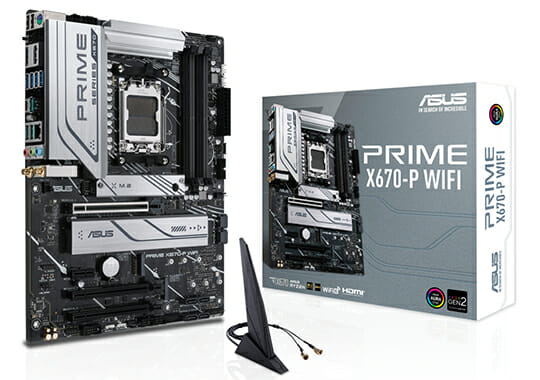
- AMD AM5 LGA 1718 socket
- 12+2 power deliver
- 6400MHz DDR5 RAM
- PCIe 5.0 M.2
The X670 motherboards are top-end products just not pushed to the limit like their X670E brethren and with a more realistic price. The Prime X670-P is a good choice if you are interested in an X670 product since it beats the competition in certain aspects while also being “only” 290$.
The motherboard is equipped with an LGA 1718 socket for AMD AM5 CPUs and is powered by a 12+2 drMOS system that is fine even for a 7950X. There are plenty of heatsinks for the VRMs and M.2 devices to cool everything off so there is no need for concern there.
Since this is an X670 and not an X670E motherboard it lacks the PCIe 5.0 x16 GPU slot, but no current GPU is using that technology yet so you can consider it more of a future-proofing option than a necessity. X670 also uses WiFi 6 instead of WiFi 6E but that is a minor difference as well.
The Prime however does have PCIe 5.0 for an M.2 slot which is nice to see and a 2.5 Gbps LAN connection. What sets this motherboard apart from other competing X670 options like the MSI PRO X670-P is the fact that it supports DDR5 at 6400MHz and has a whole 10 USB ports for connectivity.
The Asus Prime line of motherboards has always been known for striking a good balance between price and performance and the ASUS Prime X670-P WiFi is no exception to that.
- Strikes a balance of features and price
- PCIe 5.0 M.2 slot
- Has a bunch of USB ports for connectivity
- You can buy the non-WiFi version for 20$ less
- Too close in price to the X670E
ASRock B650E Steel Legend WiFi
A Solid B650E Choice
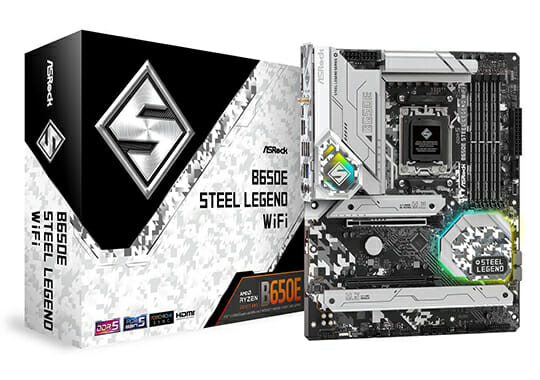
- AMD AM5 LGA 1718 socket
- PCIe 5.0 x16 slot
- PCIe 5.0 M.2 slot
- 6400+MHz DDR5 RAM
The differences between a B650 and a B650E motherboard might not be huge, but for some, the extra future-proofing that the E (enthusiast) chipset offers is worth the price increase. The ASRock B650E Steel Legend would be a good choice in this category since it ticks all of our requirements.
This is a solid LGA 1718 motherboard that uses a 16+2+1 power phase allowing you to not worry about overclocking stability. There are also heatsinks to ensure proper cooling making this motherboard a solid choice even for the higher-end CPUs. The Steel Legend supports DDR5 6400MHz and also has a PCIe 5.0 x16 slot which has become a staple feature of the E motherboards.
You can also find the new PCIe 5.0 technology used for one of the M.2 slots on the motherboard while the rest are 4.0. For connectivity, you get a 2.5 Gbps LAN connection, WiFi 6E, and 8 USB ports at the back of the motherboard.
Overall there is little to complain about when looking at the ASRock B650E Steel Legend WiFi as long as you are willing to pay the price.
- PCIe 5.0 x16 and M.2 slots
- Has WiFi 6E and a fast LAN port
- Decent power delivery and cooling for stable overclocking
- Pretty expensive for the budget motherboard line from AMD
ASUS Prime B650-PLUS
The Best Budget Option for Ryzen 7000
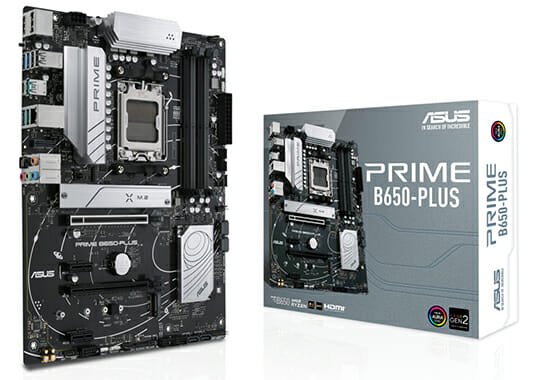
- AMD AM5 LGA 1718 socket
- PCIe 5.0 M.2 slot
- 6400+MHz DDR5 RAM
The overall platform cost of the new Ryzen CPUs is pretty high so when you are budgeting for something like a decent motherboard you can pair with something like your 7600X the Asus Prime B650-Plus should be on your radar.
The main reason is the fact that this motherboard is only 200$ (one of the cheapest options on the market) while still having great specs. This is an AM5 LGA 1718 motherboard that supports DDR 6400MHz with a maximum capacity of 128GB. While the x16 slot is still PCIe 4.0, there is an M.2 slot that is 5.0 allowing you to use the newest storage devices at their full speed.
For connectivity, you get a 2.5 Gbps LAN and 8 USB ports at the back of the motherboard. While the Prime B650 lacks Wi-Fi or fancy newer tech it still retains the most important parts of a good motherboard making it a solid recommendation for tight budgets.
- One of the cheapest B650 motherboards you can find on the market
- The PCIe 5.0 M.2 slot is a nice thing to have
- DDR5 6400MHz support is neat for a budget motherboard
- The only real downside of this motherboard is the lack of WiFi
ASUS TUF Gaming X570-PLUS WiFi
The AM4 Choice
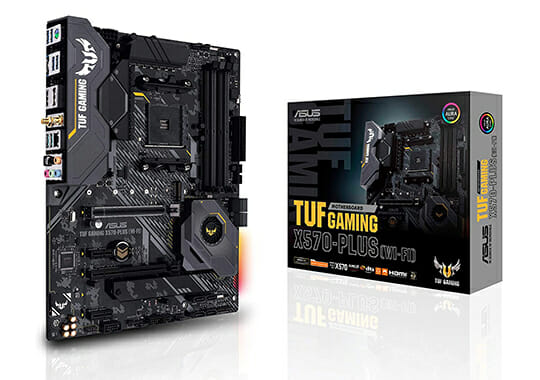
- AMD AM4 platform
- 12+2 power delivery
- 5100+MHz DDR4 RAM
- PCIe 4.0 x16 and M.2 slots
While AM5 might be the new thing from AMD, many people are not ready to part with their older AM4 platform because of the high prices for a Ryzen 7000 build. CPUs like the 5600X and the 5800X3D have only gone up in popularity since the release of 7000 CPUs since they offer a very good price-to-performance ratio.
If you want a truly budget build then going for AM4 is most definitely the right play, and no other AM4 motherboard was quite as popular as the Asus TUF Gaming X570-Plus motherboard. This motherboard is compatible with Ryzen 5000, 4000, 3000, and 2000 CPUs allowing you to use any of them.
It uses a solid 12+2 power delivery system with high-grade sockets and Digi+ VRMs for durability. There are also plenty of heatsinks for the VRM and M.2 slots to keep everything cool and running well. The x16 slot is running PCIe 4.0 just like one of the M.2 slots.
With this motherboard, you get WiFi and Bluetooth 5.0 connectivity along with 7 USB ports on the backside. In short, there is a reason why this motherboard was one of the most popular purchases for a while now when it comes to the X570 chipset.
- Very well priced compared to newer AM5 motherboards
- Uses a solid power delivery and cooling system for stable overclocking
- PCIe 4.0 is plenty fast for storage and even the newest 4090 still uses 4.0 instead of 5.0
- Has plenty of features like WiFi and Bluetooth
- Is not the newest and greatest anymore
How to Choose the Right Motherboard
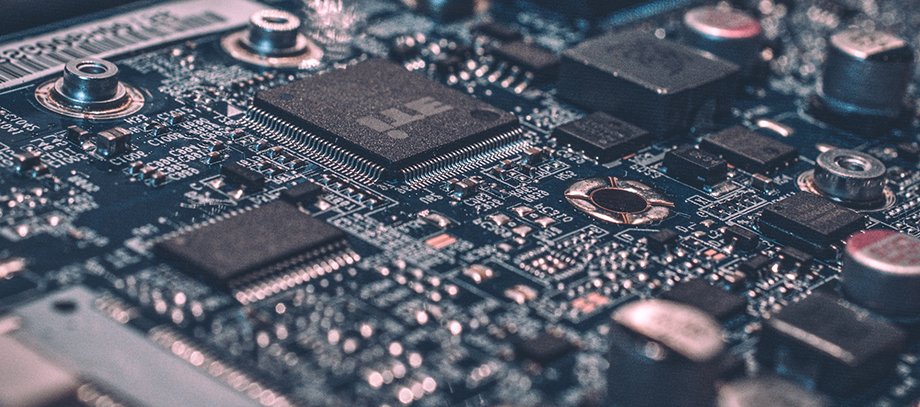
Choosing the perfect motherboard for your build isn’t rocket surgery. PC building is all about finding balance and avoiding bottlenecks. So, depending on the other components you plan on purchasing, you might want a better or a more value-oriented mobo.
Size
For starters, you need to make sure that your motherboard will fit your future case. Cases and motherboards come in standard sizes. You have E-ATX, XL ATX, ATX, Micro ATX and Mini-ITX motherboards. ATX boards and cases are the most popular, and all of the motherboards that we’ve talked about so far are made respecting that standard. Make sure that your case is ATX compatible and you’re golden.
Overclocking
Overclocking is something that all enthusiasts should do. It allows you to squeeze every last drop of performance out of your GPU, CPU, and RAM. For the best overclocking results, you need to make sure that your motherboard comes with a solid VRM (voltage regulator module). This is a combination of chokes, MOSFETs, and capacitors that take the current from the PSU and convert it to something that the other components can use. The more intricate the VRM, the more stable the voltage, hence better overclocks.
Most of the time, the manufacturer will talk about power phases or use terms like DIGI+ VRM. When a board comes with such features, then you’re guaranteed to have an easy time overclocking your components. And hey, overclocking might be coming to mobile platforms soon, so all systems might soon be factory-unlocked.
I O
Ins and outs. Simple as that. Depending on your peripherals, external drives, or other gadgets that you use in your day-to-day routines, your motherboard must come equipped with ports that will allow you to stay connected.
For example, if you’re using an old-school mechanical keyboard that prevents ghosting, it’s likely using a PS2 port, which is a very old standard. Maybe you want to use integrated graphics for a TV or an older monitor. You get the idea.
Front Header Connectors
Cases come with front header connectors, like USB and audio. If your case has USB 3.1 or 3.2 Gen2, then you need to make sure that the motherboard you’re going to purchase has front header connectors that match your case’s features. It’s easy, just check the motherboard’s specifications and everything you need to find is right there.