
How To Overclock GPU
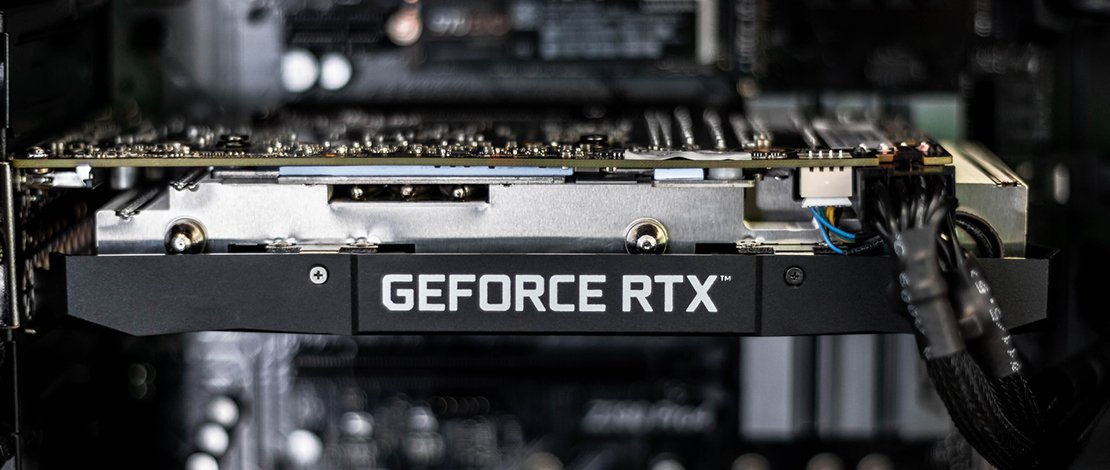
GPU overclocking is easier than ever. All you need is a couple of apps, some free time, and a bit of patience until you find a safe, daily driver OC value. Below you’ll find a list of resources needed to get extra performance from your graphics card as well as a detailed explanation on how to overclock GPU. Let’s start.
What You Need To Overclock Your GPU
Overclocking your graphics card is quite a painless process and it only requires two apps and some games, but you probably already have those. The first thing to get from this list is the OC app itself. We recommend going with MSI Afterburner. It’s free, easy to use, supports both Nvidia and AMD graphics cards, and it’s extremely popular. If you have an AMD GPU, you can use Radeon Software.
Aside from the OC app, you’ll need some GPU benchmarks for performance and stability testing. We recommend using Unigine Superposition for before and after performance comparisons. It’s free and quite demanding on the GPU making it a perfect pick for testing the performance of your overclocked GPU. There’s also 3DMark, which does include a free version. You get Time Spy benchmark with the free version, which is enough for performance testing purposes.
For stability testing, there’s the Unigine Heaven benchmark. This is a bit old but free benchmark that can run in an infinite loop. In other words, a perfect way to test for OC stability. 3DMark does come with a GPU stress test functionality, but this feature’s only available in the paid version. Finally, if all runs well after a couple of loops of Heaven, test the card for any errors with a stress testing app such as OCCT. Finally, for detailed monitoring (thermals, power consumption, etc.) download GPU-Z and/or HWiNFO.
How To Overclock GPU With MSI Afterburner
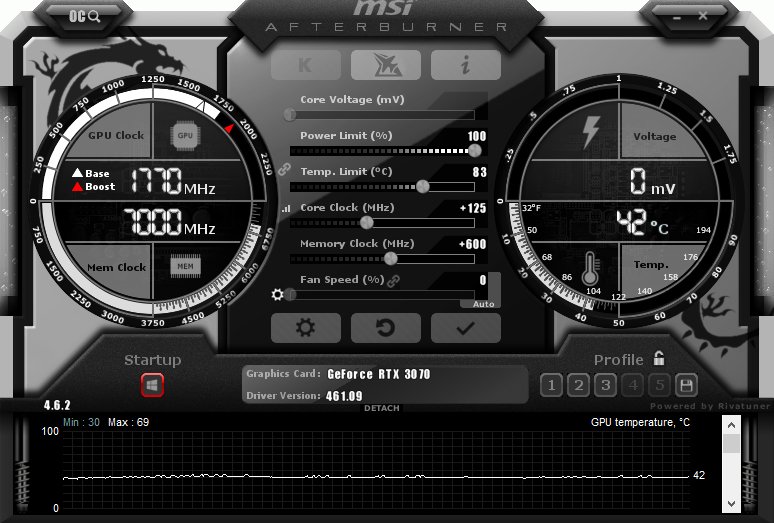
Overclocking With MSI Afterburner
First, test the base performance. Perform three runs of Superposition and record the results. This will serve you as a baseline performance metric. Once you finish with that, it’s time to open MSI Afterburner. You could also test your GPU in-game to check out its thermal performance. It’s good to have base thermal performance numbers, to see just how much extra heat is generated when overclocking and whether the GPU cooler can handle increased heat generation.
GPU overclocking with MSI Afterburner is extremely simple. Just download the app, install it, and run it. Now, you’ll see several sliders once you open the app. The first thing to do is to push the power limit all the way to the right. This isn’t available on all graphics card models. If your power limit graph maxes out at 100 percent (like ours does), you won’t be able to push your graphics card over its maximum power limit, resulting in lower OC potential.
Once you push the power limit to the max, apply the setting. Now, it’s time for some overclocking. First of all, go online and search for base OC values for your card. If you can, also search for stable OC results for your specific card model. Look for what most people managed to get without hassle since this can serve you as the starting point.
Now, set the desired overclock by tweaking the core clock slider until you reach the desired boost clock. Click on save and run Unigine Heaven for about 10-15 minutes. If the benchmark doesn’t crash and if you don’t notice any visual artifacts, you can try going higher.
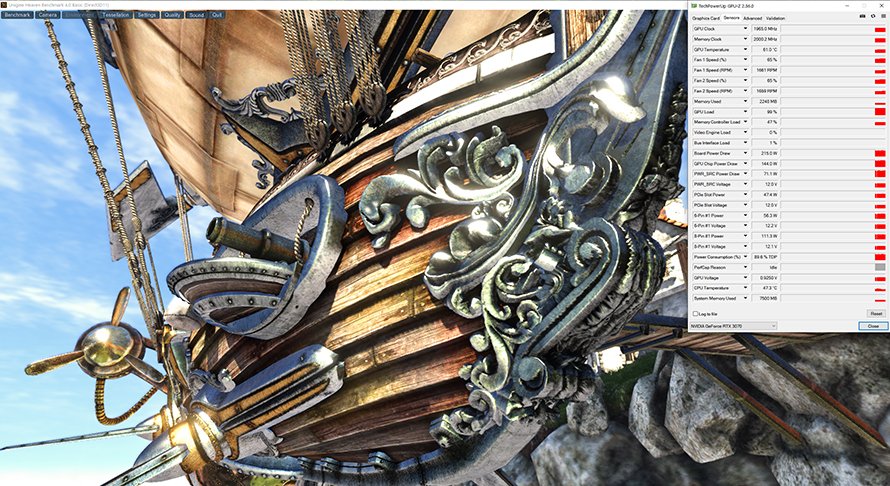
Stability Testing
It’s recommended to increase the GPU clock in small increments between 5-15MHz (one digit in the core clock slider represents one megahertz) and testing with Heaven until the benchmark crashes or until you see visual artifacts. Now it’s time to drop the OC down to the last stable value and move on to error testing and gaming tests.
If you have patience and want to go from scratch instead of applying stable OC values you’ve found online, start by increasing the core clock by 5-15 MHz during each step and follow through with a dozen or so minutes of Unigine Heaven. This will take much longer than just finding a stable OC online since you won’t have to either apply the OC and be done or going a bit lower or higher depending on your luck with the silicon lottery. It’s a safer way in theory but nowadays both GPUs and overclocking apps have multiple failsafe measures installed making it very hard to damage your card.
If you apply too high an OC value the benchmark will just crash on start or when reaching thermal throttle limits. And if you notice artifacts don’t worry. They will disappear as soon as you lower the overclock values. Anyway, now that you’ve found a stable OC value it’s time to test it further. First of all, run Superposition to see just how high your performance gains are if any. If you don’t see performance gains or if you notice lower performance than out-of-box values, lower the OC clock because it isn’t stable.
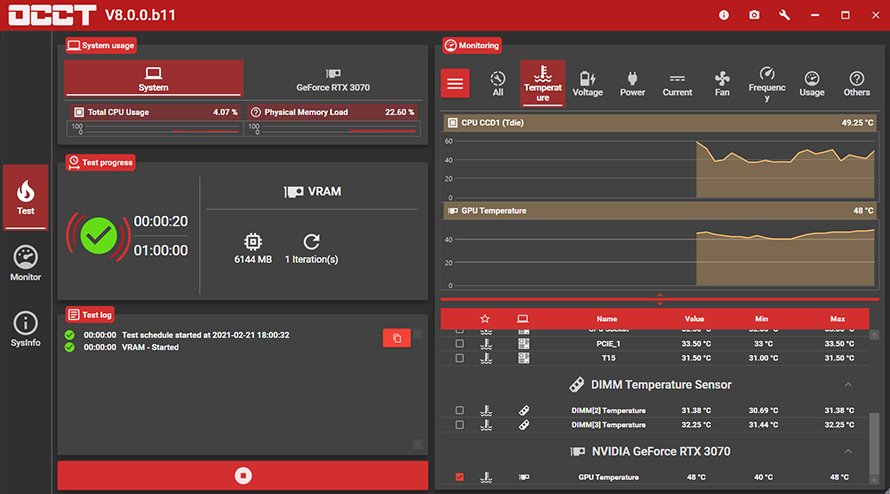
OCCT Testing
If you do see performance gains, it’s time for error testing. Open OCCT and click on 3D. That’s the GPU stress test. Run it for about 10-15 minutes and if the app doesn’t report any errors, it’s time for the final part, testing your OC in games. Run a GPU-intensive game (Cyberpunk 2077, Assassin’s Creed Valhalla, RDR 2, basically any current AAA title with all visual options set to the max) for about half an hour-hour and if all goes well (regarding stability, performance, noise, and thermals), you’ve just found your daily driver OC value.
Save the OC settings in MSI Afterburner and move on to overclocking the memory. This isn’t a must but you can get a couple of extra frames and it’s a free performance boost so why not. Now, different AIB card models come with a memory from different manufacturers so here you cannot look for everyday memory OC values for your card. Flagship cards usually have better memory, but that’s not always the case. When overclocking memory it’s best to look for OC values for your specific models and go with those, followed by further tweaking if necessary.
If you’re starting from scratch, apply about 50MHz OC steps and test each step in Heaven or other benchmarks. Artifacts from running the memory too high are very noticeable so if the benchmark crashes or you see these nasty artifacts, go back a step or two until you’re stable.
Now, test the memory in OCCT (this time pick the VRAM test) and follow it through with a gaming session. If all goes well, you’ve just managed to overclock both your GPU and video memory. Not bad.
Overclocking GPU By Undervolting It
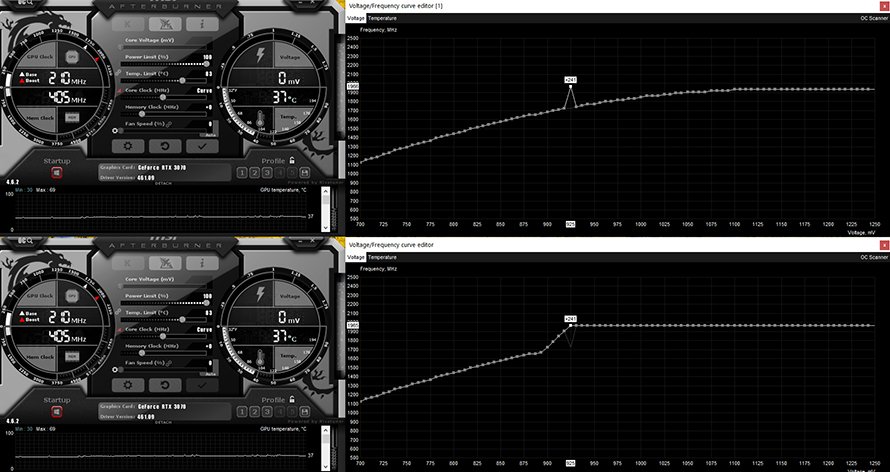
MSI Afterburner Undervolting
Last but not least, you can get noticeably increased performance from your card by undervolting it. Undervolting is a great way to reduce your card’s power consumption and get a quieter and cooler card at the same time. But today, we’re talking about undervolting your card just a bit, allowing it to be cooler and quieter while managing to squeeze a couple of percent of extra performance from the card.
We undervolted our RTX 3070 Eagle OC to 925mV, with a boost clock of 1965Mhz. During the benchmark run, the card went from having its boost clock fluctuating between about 1780MHz and 1850Mhz at stock settings to a rock-solid 1965Mhz with 1000MHz memory overclock.
As you can see below, we went from average fps of 65.8 to 67.6; that’s an eight percent performance gain. Aside from higher performance, the card’s fans are much quieter now. The temperature stayed the same but do note that, at stock settings, the card would reach about 72-74 degrees Celsius during longer gaming sessions.
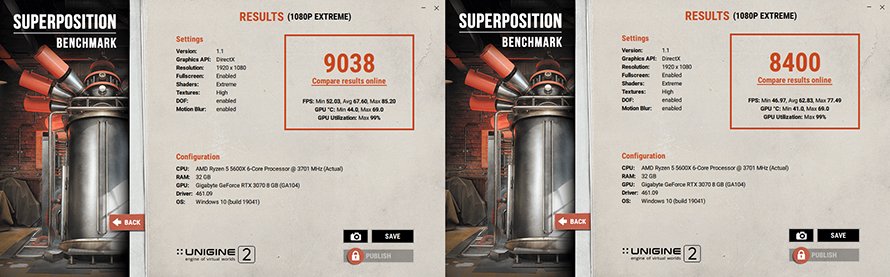
Overclocking With Undervolting
The procedure is simple. Load default settings in MSI Afterburner, open the voltage editor, and then set your clock and voltage. Then click on apply and test the undervolt with benchmarks and by playing games. You can also overclock vRAM if you like, following the same procedure from our guide.